



The short answer
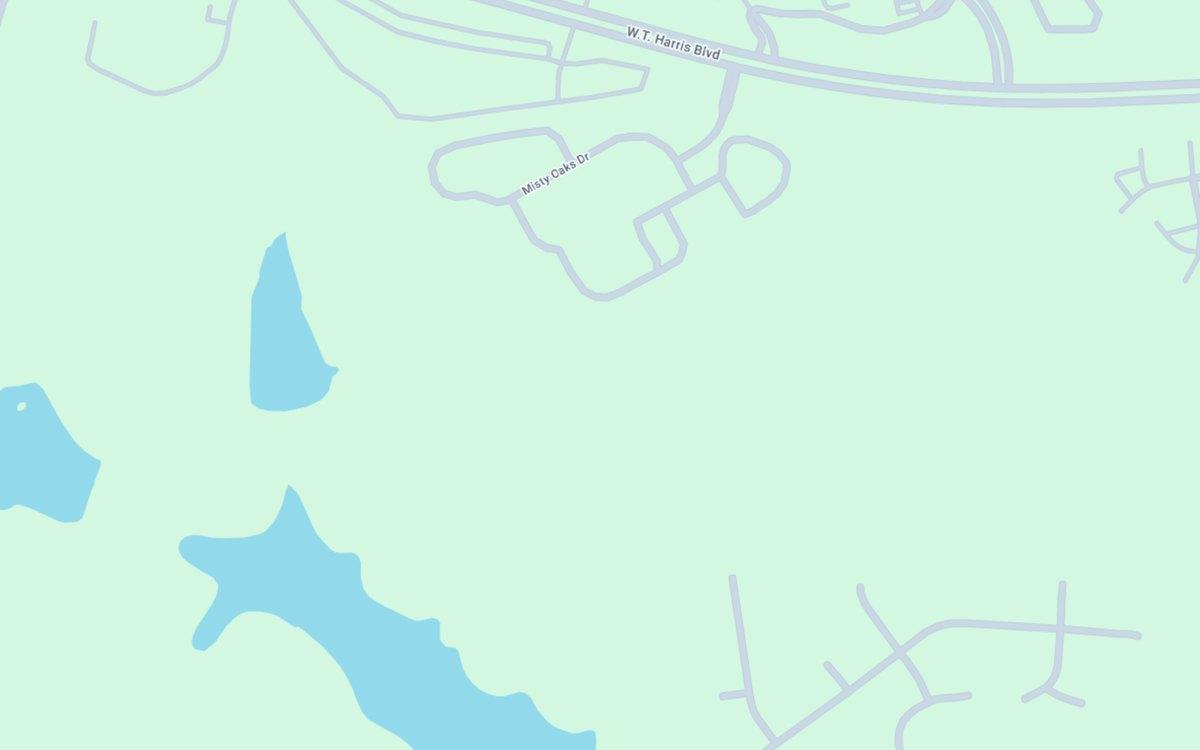
- A new community appears on Google Maps once its streets, their names and its home addresses are in Google's map data. Until then, directions stop at the main road and an address search finds nothing.
- Maps often trail construction by months, so builders have each phase added as it opens rather than waiting.
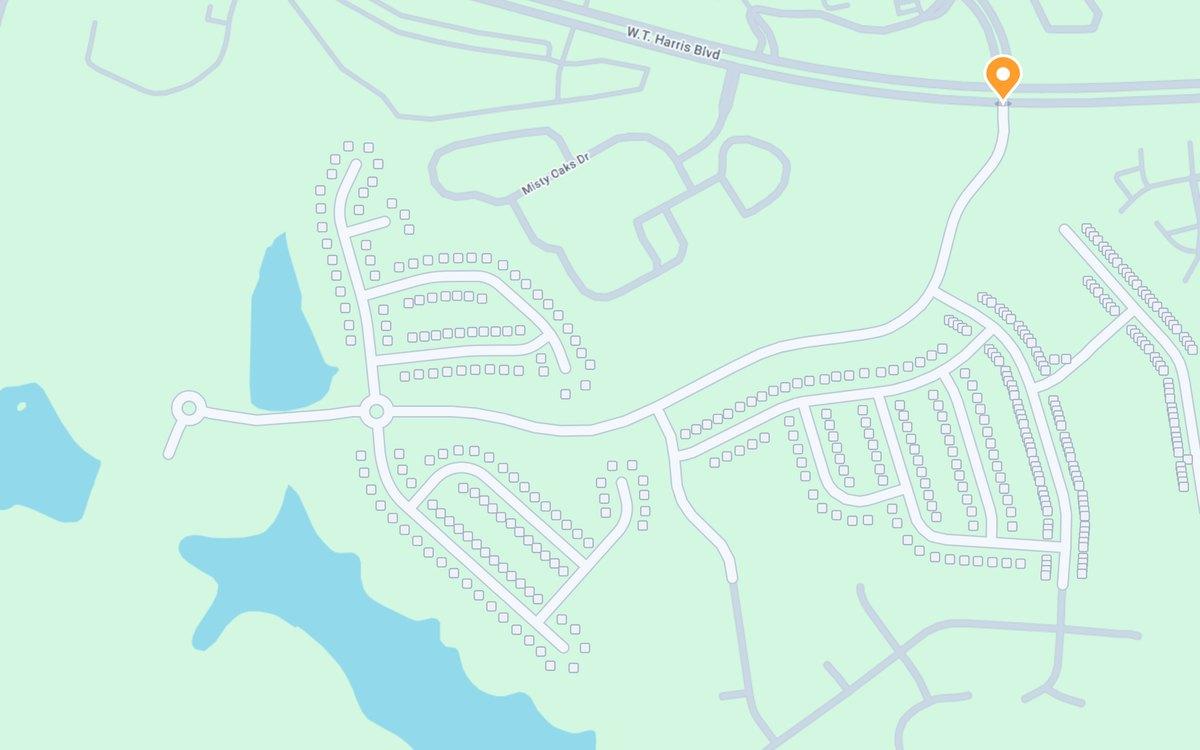
- Bryto's Map Mods adds the whole community: every street traced, and an address verified for every lot, on Google Maps and Apple Maps together.
- Bryto submits the map data to Google and Apple directly, and most Google Maps updates are live within 2 to 10 business days.
- Map Mods is sold on its own, from $9.90 per community a month or $499 once, with no camera crew. Street View is a separate option.
Why a new community is missing
Communities are built faster than maps are updated. Until a community's streets and addresses reach Google's map data, Google Maps shows open ground where the homes are, and a search for an address in the community lands somewhere else, or nowhere.
That costs a builder in ways that are easy to miss:
- Buyers driving out to the model home are routed to the main road and left to find the way in.
- An address typed into Google Maps finds nothing, or puts the pin in the wrong place.
- Delivery drivers, appraisers, inspectors and new homeowners' visitors all use the same map.
What has to be added
- Every street, traced along its real path, curves, cul-de-sacs and entrances included, with its recorded name.
- Every home address, verified and placed on its lot.
- The same on Apple Maps, which is a separate map. See getting a new community onto Apple Maps.
What Bryto needs from you
The community's name and address, and its plat map. Bryto traces every street from it, checks every street name and address, and handles the submissions and the follow-up with Google and Apple. You can order online in a few minutes.
How long it takes
Most of Bryto's Google Maps updates are live within 2 to 10 business days, and some within 48 hours; on Apple Maps it typically takes 4 to 8 weeks. When a new phase opens, it goes on the map the same way: the Portfolio Program, the Map Mods subscription, includes unlimited map updates, new phases included.
What it costs
Map Mods is priced per community: from $9.90 a month with the Portfolio Program, billed annually, or $499 once for a single community with no subscription. It needs no camera crew. Street View, captured at street level once the roads are paved, is a separate option; see Street View for new communities.
Both plans also come with a 2D site plan of the community for your website, at no extra cost: the same streets and lots over the map, with each home's status, price and lot premium.
Questions builders ask
How long does it take for a new community to show up on Google Maps?
Most of Bryto's Google Maps updates are live within 2 to 10 business days, and some within 48 hours. Apple Maps takes longer, typically 4 to 8 weeks. Left alone, a new community can be missing for months.
Why is my new community still not on Google Maps?
Usually because its streets and addresses have not reached Google's map data yet, or reached it with names or numbers that do not match the county's records. Bryto checks every street name and address before anything is submitted.
Does Map Mods cover Apple Maps too?
Yes. Map Mods updates Google Maps and Apple Maps together. They are separate maps, so a community added to one is not added to the other.
What about phases that open later?
The Portfolio Program, the Map Mods subscription, includes unlimited map updates, new phases included, so each phase goes on the map as it opens.
Does Bryto need to visit the community?
Not for Map Mods, which works from your plat map and needs no camera crew. Street View, which is captured on site, is a separate option.
What does it cost?
Map Mods costs from $9.90 per community a month with the Portfolio Program, billed annually, or $499 once for a single community. Street View is priced separately.
Put your community on the map
Order online in a few minutes. Send the community's name, address and plat map, and Bryto handles the rest with Google and Apple.
Rather talk it through? Call (708) 840-1128 or email hello@bryto.com.